
Choose a provider and service
Selected providers are your everyday list. The full catalogue opens when you add something new.
How it works
Four easy steps, on mobile or desktop.
Selected providers are your everyday list. The full catalogue opens when you add something new.
Enable one or more methods per service: files, photos or forwarding. Email sync and APIs appear when available.
The review queue holds uncertain fields, imports and possible duplicates. It is separate from confirmed invoices.
Choose bills, review the total and pay from one place in the final Premium. Try the full flow in Demo; beta currently records payments and receipts.
DEMO
Explore the full Premium experience with synthetic data: multiple providers, future months and simulated payments, APIs and email.
Try Premium Demo ↗Demo actions are simulations. No real charges or connections occur.
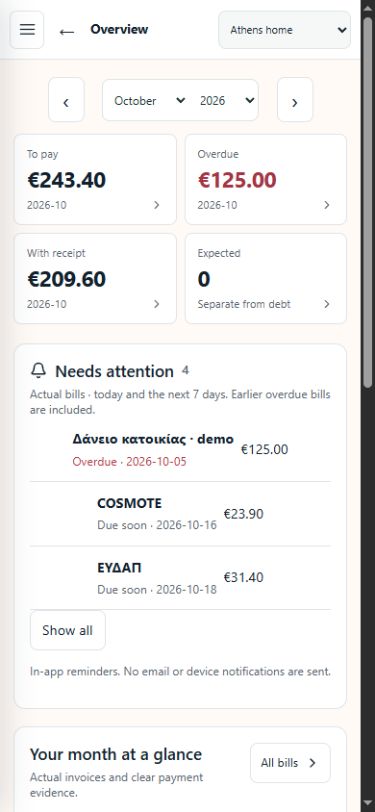
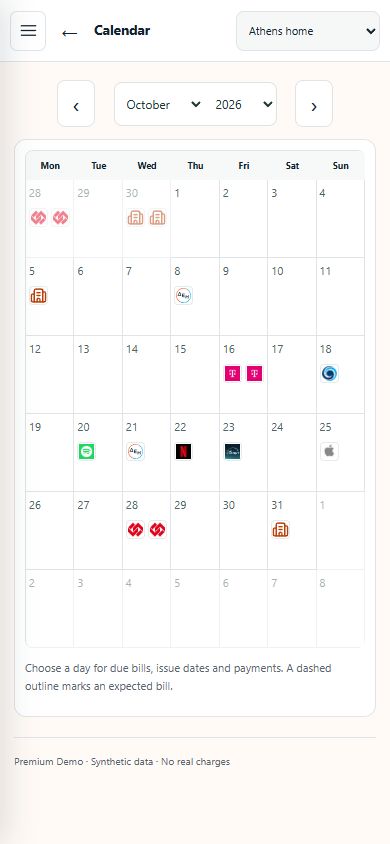
Forwarding does not require a mailbox connection. Future email sync will offer provider-specific or broader search. Bilzip filters do not narrow the underlying Google permission; separate consent will be required.